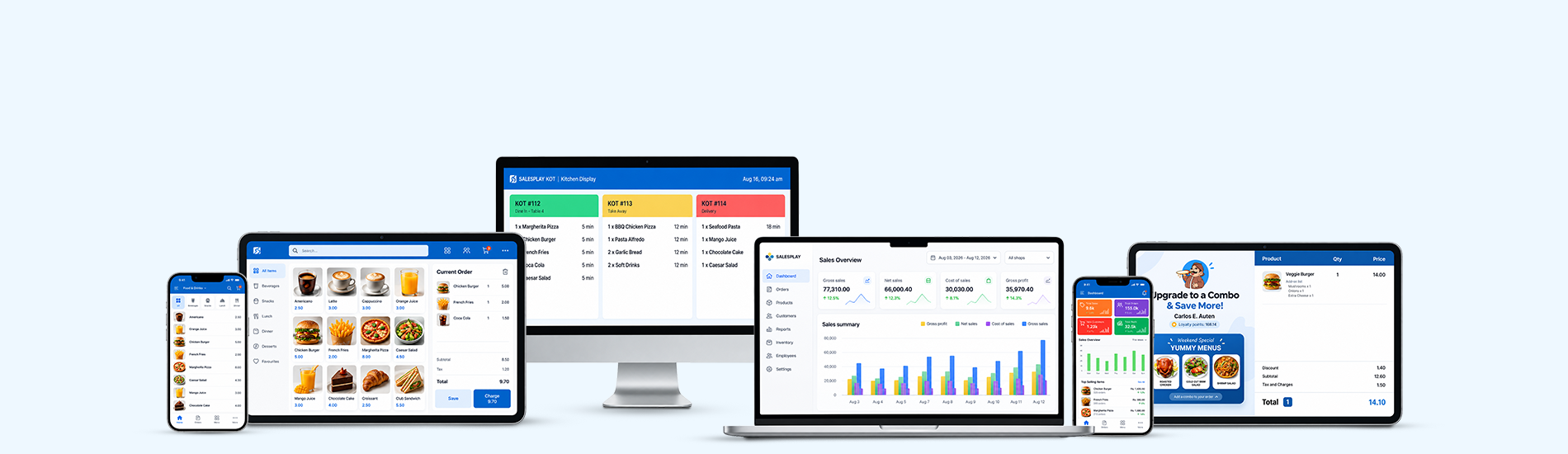

Process sales quickly with simple billing steps on Android and Web POS, helping your team complete more transactions with ease.

Accept cash, card payments, payment gateway transactions, and other supported payment methods directly through SalesPlay POS.
Save unfinished bills and reopen them when customers are ready to pay, making it easier to manage busy checkout periods.

Print clear receipts or share digital receipts through email and supported messaging and social media platforms.

Connect receipt printers, barcode printers, KOT/BOT printers, barcode scanners, weighing scales, and cash drawers to your POS.

Share receipt details digitally through email, WhatsApp, Messenger, Telegram, Signal, WeChat, and other supported platforms.

Schedule pricing and discount plans for seasonal offers, festive promotions, product discounts, line discounts, and total discounts

Continue making sales and issuing receipts when offline. Your transactions can sync to back office when an internet connection is available.

Manage multiple shops in stand-alone or centralized mode. Track sales, inventory, customers, and staff across locations.

Speed up checkout by scanning internal or external product barcodes instead of searching for products manually.

Show customers their order details during checkout with a separate Customer Display connected to your SalesPlay POS.

Organize products with categories and subcategories to make items easier to find and select during the billing process.

Track cash coming in and going out of the drawer to improve visibility and help reduce errors and unauthorized transactions.

Process cash or other payment refunds from any location and record a reason for each refund for better tracking.

Monitor real-time sales, stock, and other important business figures from the SalesPlay Dashboard app on iOS and Android.

Expand your business by adding new shops and choose whether to transfer existing product data or create a separate setup.

Manage sales, stock, employees, and customers across the same or different businesses with flexible data synchronization options.

View overall business performance or filter reports and analytics by individual shop to understand each location better.

Set different receipt designs and other settings for each shop, allowing every location to use its own preferred setup.
Add locations to existing or new shops and configure different settings based on how each location operates.

Add locations to existing or new shops and configure different settings based on how each location operates.

Choose which products are available at each shop, allowing different locations to sell products based on their local needs.

Create users for different shops and assign roles and access levels for cashiers, managers, supervisors, and other staff.

View product movement and sales summary reports for individual shops to understand how products move across your locations.

Track sales by employee to understand individual sales performance and support commission calculations and business decisions.

Manage petty cash directly from the POS by recording expenses and other cash inflows separately from sales transactions.

Track employee shifts with clear shift reports and important transaction details to improve control during daily operations.

Connect your cash drawer to the POS and manage cash during shifts with controlled opening and shift-end cash management.

Assign different access rights to employees and shops to help your team work smoothly while controlling sensitive POS actions.

Automate sales commission calculations and assign staff to transactions to calculate commissions based on recorded sales.

Give employees individual four-digit PINs for quick access and switching during busy hours, with audit logs for recorded actions.

Manage other staff appointment schedules with calendar time slots, making it easier to organize appointments for service-based businesses.

Manage inventory across multiple shops and businesses from one place, helping you maintain better visibility of stock levels.

Create purchase orders for suppliers, receive goods through GRNs, and share purchase orders to simplify your purchasing process.

Transfer inventory between locations and track product movements to keep stock levels updated across multiple shops.

Adjust stock levels when needed by adding or reducing quantities and record changes to help keep inventory accurate.

Track inventory movements and allocate received goods to different shops, giving you better visibility of stock across locations.
Add products, prices, and related information in bulk using file uploads, making product setup easier for businesses with many items.
Receive automated alerts for low stock and product expiry so you can take action before important inventory issues arise.

View the movement of inventory across shops and locations to understand stock changes and follow each product's journey.

Send purchase orders to suppliers by email and track received goods through GRNs for a more organized purchasing process.

View key business data such as sales and profit with charts, graphs, filters, and business-hour information from one dashboard.

Track daily sales revenue, net profit, gross profit, and discounts to understand your business performance over time.

Analyze sales by category and identify which product categories perform best during a selected period.
Track the movement of goods over time at each shop and use inventory trends to help plan promotions and stock decisions.

Track product expiry information to identify goods approaching expiry and help manage your inventory more effectively.
Compare sales performance across individual shops and understand sales trends at each business location.

Identify fast-selling products and understand which items are contributing most to your sales during a selected period.
Analyze product sales volumes over time to understand sales trends and changes in customer demand.

Analyze sales using product-wise receipts, order types, shops, and other detailed reporting options available in SalesPlay.

Track customer credit settlements and outstanding balances with detailed reports for better debtor management.

Build a customer database with contact details and preferences to provide better service and understand your customer base.

View customer buying history to understand previous purchases and use the information to improve service and plan sales.

Track purchases made by customers across your shop network to better understand their buying patterns and preferences.

Track individual customer visits and shop footfall to understand customer activity and identify useful buying patterns.

Reward customers with points for purchases and let them redeem points when needed to encourage repeat visits.
Use barcode-based loyalty cards to identify customers quickly and automatically add or redeem loyalty points during purchases.

Add important notes about customers and their preferences to help staff provide a more personalized shopping experience.

Maintain customer debtor profiles, view payment cycles, and manage settlements to keep credit sales organized.

Track customer settlements against outstanding balances and view settlement details by customer and payment type.

Manage restaurant orders efficiently and keep your team connected from order taking through preparation and billing.

Let customers add a tip by choosing a suggested percentage or entering their own tip amount on the receipt.

Generate sales reports based on your actual business hours instead of calendar days, ideal for businesses operating past midnight.

Take orders using tablets or smartphones and send them directly to kitchen displays or printers for faster preparation.

Let kitchen staff receive and manage open orders clearly, helping them keep track of items and prepare orders efficiently.

Assign tickets to tables quickly and manage open orders by splitting, merging, or moving items when required.

Manage open orders with flexible options to split and merge orders, transfer tables, assign waiters, and create pre-bills for a smoother restaurant service.

Assign open orders to waiters and other staff members, helping organize restaurant operations and track sales for commission calculations.

Organize menu items into categories and customize the sale screen to help staff find products quickly and take orders faster.

Create modifiers and modifier groups for menu items, allowing customers to customize their orders with toppings, add-ons, and other options.

Choose order types such as dine-in, takeaway, and delivery to manage different customer orders from the same POS.

Apply discounts and taxes while adding notes to items or orders, giving staff more control during the ordering process.

Notify kitchen or bar staff instantly about what needs to be prepared, helping teams coordinate orders more efficiently.

Send orders to kitchen displays or printers and streamline communication between the POS, kitchen, and bar teams.

Connect multiple kitchen displays and KOT printers with multiple POS devices to support larger restaurant operations.

View items, quantities, modifiers, and tickets clearly on kitchen displays or printed orders for accurate preparation.

Use table timers to see how long tables have been open and help your team manage table service more efficiently.