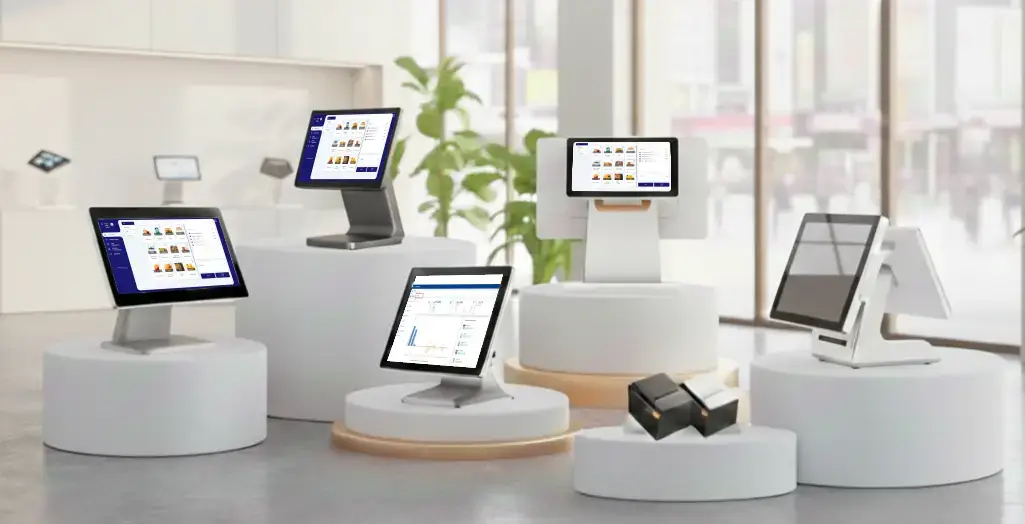
Navigating the world of POS systems can feel like steering through a storm full of options, features, and fine print. Whether you run a café, retail store, or restaurant, your POS isn’t just a machine that processes payments. It’s your all-in-one business companion tracking sales, managing stock, scheduling staff, and delighting customers in real time.
The right Point of Sale system helps you simplify operations, reduce costs, and make smarter decisions. Here’s a 9-step guide to choosing the best POS system that fits your business today — and scales for tomorrow.
Start by mapping what matters most to your daily operations.
Ask yourself:
How many sales do you handle in a day?
Do you manage perishable items or diverse inventory?
Do you need quick-serve features, table management, or loyalty programs?
For example, a café may need QR-based ordering and table tracking, while a retail store focuses on barcode scanning and real-time stock alerts. Knowing your exact needs helps you avoid overpaying for unused features.
Once you know what your business truly needs, it’s time to hit the research trail. Don’t just Google “best POS systems” and pick the first result. Your business deserves a tailored choice.
Start by identifying POS brands that specialize in your industry. A restaurant may need features like menu management, kitchen display integration, and table mapping. A retail shop might need barcode scanning, discounts, and loyalty programs.
Here’s how to research effectively:
Check software review platforms such as G2, Capterra, and Software Advice. Filter results for businesses similar in size or industry to yours.
Study case studies and testimonials on vendor websites to understand real-world impact. Are customers reporting faster checkouts, better inventory control, or higher sales accuracy?
Look at update frequency, a POS that’s updated often shows commitment to innovation and bug fixes.
Evaluate the company’s reputation and support network. A provider with responsive customer service and global reach (like SalesPlay POS, used in over 100,000 businesses) signals reliability and stability.
Check compatibility with your devices. Android- and web-compatible POS systems reduce hardware costs and let you operate from smartphones or tablets.
Finally, shortlist 3-5 contenders that meet your technical and operational needs. At this stage, your goal isn’t to choose yet, it’s to narrow the field to the systems most likely to save time, reduce errors, and grow with you.
Now, go deeper. Create a side-by-side comparison of your shortlisted systems.
Essential features include:
Internet issues shouldn’t stop your business.
SalesPlay POS allows you to continue selling even when the internet is down. Sales and orders are stored safely offline and automatically synced once you’re back online, so you never lose revenue or important data - no matter where you operate.
Run your business from anywhere with confidence.
SalesPlay keeps your sales, inventory, customers, and reports synced in real time across all devices and outlets. Whether you’re at the store or away, your data is always up to date and accessible.
Always know what’s in stock.
With SalesPlay POS, inventory updates automatically with every sale. You can track stock levels across locations, receive low-stock alerts, and avoid costly overstocking or shortages — anytime, anywhere.
Make better decisions with clear insights.
SalesPlay provides easy-to-understand reports that show sales performance, top-selling products, staff activity, and profit trends. Everything is available in one dashboard, helping you manage your business smarter, even when you’re not on-site.
Turn first-time buyers into loyal customers.
SalesPlay’s built-in CRM and loyalty tools let you store customer details, track purchase history, and reward repeat customers with points, discounts, or special offers — creating consistent, personalized experiences across every outlet.
The real cost of a POS system goes beyond subscriptions.
When comparing systems, consider hardware, setup, training, maintenance, and future upgrades. SalesPlay POS offers a free plan for startups and scalable options as your business grows, giving you flexibility without long-term risk.
Review total cost of ownership (TCO), not just monthly fees, but hardware, setup, and maintenance. Platforms like SalesPlay POS offer free plans for startups and scalable upgrades, giving you flexibility as you grow.

Your POS should connect smoothly with your other systems, accounting software, e-commerce platforms, and payment gateways. Look for APIs or plug-and-play integrations.
For example, with SalesPlay, online orders automatically update your in-store inventory, eliminating manual errors and saving time.
Your team shouldn’t need weeks of training. A good POS should have a clean, intuitive interface and mobile compatibility.
SalesPlay, for example, allows waitstaff to take orders, send them to the kitchen, and process payments instantly. An easy learning curve means faster service and happier staff.
Even great software needs great support. Check whether your provider offers 24/7 assistance, quick response times, and helpful documentation.
Reliable onboarding resources, like video tutorials, setup guides, or dedicated support reps, ensure a smoother transition. SalesPlay provides comprehensive training and responsive customer care to help businesses get started effortlessly.
Your POS handles sensitive data, sales, payments, and customer info. Verify that it uses end-to-end encryption, PCI DSS compliance, and role-based access control.
These security measures protect your business from fraud, maintain customer trust, and keep you compliant with legal standards.
Choose a POS that evolves as your business grows. Whether you expand to multiple locations or add new delivery channels, scalability is key.
Cloud-based systems like SalesPlay POS make it easy to add branches, devices, or new users without downtime. Regular feature updates keep your technology future-ready, supporting mobile payments, analytics dashboards, and AI-powered insights.
Never buy blind. Always test a POS system through free trials or live demos before making a final decision. Choosing a mobile or web-based POS allows you to test real business scenarios with minimal cost and no upfront investment.
SalesPlay POS software can be used for free, making it easy to evaluate the system without financial risk. You can run SalesPlay on your own smartphone, tablet, or computer and test how it performs in real operating conditions.
During your trial, simulate daily operations by processing transactions, applying discounts and taxes, syncing online orders, managing refunds or returns, and testing offline mode during internet interruptions. This helps you understand how the system behaves in real-world situations.
It’s also important to observe how the POS handles your busiest hours. Test transaction speed, system stability, and ease of use when multiple orders are processed and staff are working simultaneously. A hands-on trial with SalesPlay helps you confidently evaluate speed, reliability, and staff comfort before making the final call.
Choosing a POS system isn’t just a tech decision, it’s a growth strategy. The best POS simplifies your daily work, reduces manual tasks, and unlocks insights that drive smarter decisions.
Imagine turning your smartphone or tablet into a complete business command center, managing sales, stock, and customers effortlessly. That’s exactly what SalesPlay POS offers.
👉 Discover SalesPlay POS today, your all-in-one system for retail, restaurant, and hospitality success.
Map your business needs before comparing POS solutions.
Prioritize ease of use, integrations, and support quality.
Verify security, scalability, and long-term flexibility.
Test before you buy, and choose a provider you can grow with.
SalesPlay POS offers a free, flexible, and scalable solution designed for real-world business needs.
Q1. What makes a good POS system?
A good POS combines sales tracking, inventory management, and reporting, all in one dashboard to save time and reduce human error.
Q2. How does SalesPlay POS help small businesses?
SalesPlay POS offers a free and affordable cloud-based solution that works offline and online, perfect for cafés, restaurants, and retail stores.
Q3. Is training required to use a POS system?
Minimal. Modern POS systems like SalesPlay have intuitive dashboards your team can master in minutes.
Q4. Can I use my mobile or tablet as a POS?
Yes. With SalesPlay, your smartphone or tablet becomes a full POS terminal for sales, payments, and reporting.
Q5. How do I know if my POS is secure?
Look for encryption, PCI DSS compliance, and restricted access controls all standard in SalesPlay POS.